
What's new in Kriya 0.5.1: cutscenes, autosave, and a steadier editor
A multi-track cutscene editor, async scene loading with a real progress bar, crash-safe autosave, and the fixes that came out of centralizing every component's metadata.
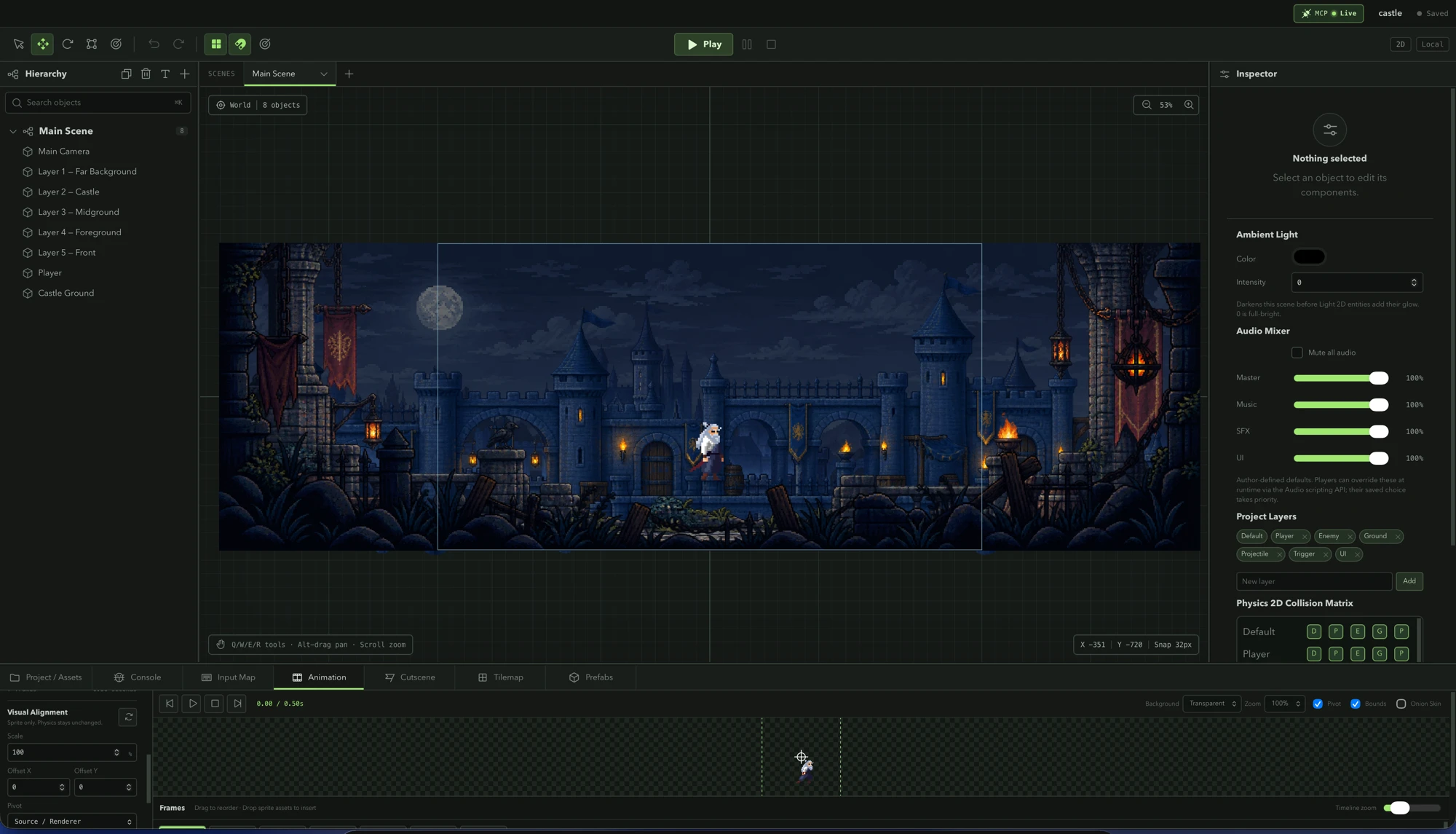
0.5.1 is mostly about two things: giving authors a way to direct a moment instead of just scripting it, and making the editor trustworthy enough that a crash or a bad browser tab close doesn’t cost a session. Alongside that, a handful of fixes came out of work that had nothing to do with either — the kind that only surface once duplicated logic gets pulled into one place.
A multi-track cutscene editor
Scenes previously had one way to choreograph anything: attach an Animator to the entity you want to move. That falls apart the moment a moment needs more than one thing to happen — a camera pan while an overlay fades while a line of dialogue plays.
Cutscenes are project-level data, alongside animations and prefabs, with three track kinds: property tracks (reusing the same keyframe model as regular animations), dialogue cues, and event markers. Each track names its own target, so one timeline can drive the camera, an overlay’s opacity, and a dialogue box together. The editor’s scrubbing preview calls the same applyCutsceneAt function the runtime uses, so what an author scrubs in the Cutscene tab is exactly what plays in the game.
A dialogue cue marked “wait for completion” holds the cutscene’s own clock, not the whole game — scripts, physics, and input keep running while the player reads. Scripts get Cutscene.play/stop/skip/isPlaying/time from @engine/runtime, plus cutscene:start, cutscene:marker, and cutscene:end events on the global bus, and there’s a Cutscene Trigger script template for the common “play this timeline when the player enters” case.
Input lock and letterbox bars
A cutscene playing correctly and a cutscene playing convincingly are different problems. Without a way to hold input, a player could walk straight out of the shot mid-cutscene. CutsceneData now carries lockInput (on by default) and letterbox, and both release on every exit path — end, stop, or skip — so a cutscene can never strand the player with input still locked or bars still on screen.
The lock only silences the script-facing input surface, not the input manager itself — dialogue advancement and UI focus navigation read the raw input state directly and need to keep working while a waitForCompletion cue holds the clock. Scripts can lock input for their own purposes too, with Input.setLocked(true), for menus and other non-cutscene cases.
Async scene loading with a real progress bar
SceneManager.loadSceneAsync(nameOrId) warms a scene’s assets through the renderer and reports progress from 0 to 1 as they arrive, instead of loading and swapping in the same frame. A loading screen script can hold the returned handle open to control exactly when activation happens, and a superseded load — a second loadSceneAsync call, or the runtime stopping — fails cleanly rather than leaving the first one hanging forever. Shells that don’t implement scene warming still work; the load just resolves immediately.
A splash screen for exports
Exported web builds can now show a “Made with Kriya” splash while the game boots — the authored first frame renders behind it so textures are already warm when it lifts, and the game loop only starts once the splash is gone, so a play-on-start cutscene doesn’t burn its opening seconds hidden behind a cover. It’s a per-project build option, off by default for anyone who’d rather ship without it.
Editor autosave and crash recovery
Saving used to be entirely manual, so a crashed tab or an accidentally closed window cost whatever wasn’t saved. The editor now snapshots unsaved work every few seconds into its own storage slot, separate from an explicit save — and an explicit save clears that slot, so finding one at startup is itself the signal that the last session ended with edits still in flight.
Recovery is never automatic. The editor loads the project exactly as it was last saved and offers the snapshot in a bar until you restore or discard it, so a safety net can’t silently overwrite something you deliberately chose to keep. A restored snapshot runs through the same project validator as any load, so a snapshot written by an older build still opens cleanly.
One registry for every component
Component defaults, Inspector metadata, and asset-reference rules used to live in seven different places that had quietly drifted apart. They’re now described once, in src/engine/components/registry.ts — defaults, label, icon, category, search keywords, whether the component can repeat on an entity, and any companion component it requires.
Centralizing it surfaced real bugs that had been sitting there: the MCP tools’ component defaults were missing a field the editor’s Inspector always set; MCP property overrides for nested objects like size: { x: 120 } silently dropped y; removing an asset never cleared references to it from TextRenderer, ParticleEmitter, or UIButton; and the Inspector’s Add Component browser listed two collider types twice.
Smaller fixes worth knowing about
- Sprite animation offset and scale. A clip can now carry a visual-only scale, offset, and pivot correction, authored in source pixels, applied only to the rendered sprite — never to the entity’s Transform or collider. Useful when a walk cycle’s frames don’t share the same canvas as its idle frames.
- Tilemap auto-slicing. A tileset with a few stray one-pixel “dust” regions used to get its smallest frame treated as the base tile size, which could blow every real tile up to hundreds of cells wide. Slicing now picks the smallest frame that’s still close to the tileset’s median size.
Where this leaves the editor
None of this changes how a project is structured — a cutscene is still project data next to animations and prefabs, a component is still described in one place, and a scene is still loaded the same way whether or not something is warming its assets first. It’s the same shape 0.5.1 has been building toward: fewer places for behavior to diverge, and an editor that fails safely when something goes wrong instead of losing your work.